Support
If something is not working or the docs do not answer your question, get in touch. We reply by email within two business days.
How to reach us
Click Support at the bottom of the app sidebar. The contact form opens and shows the address we will reply to.
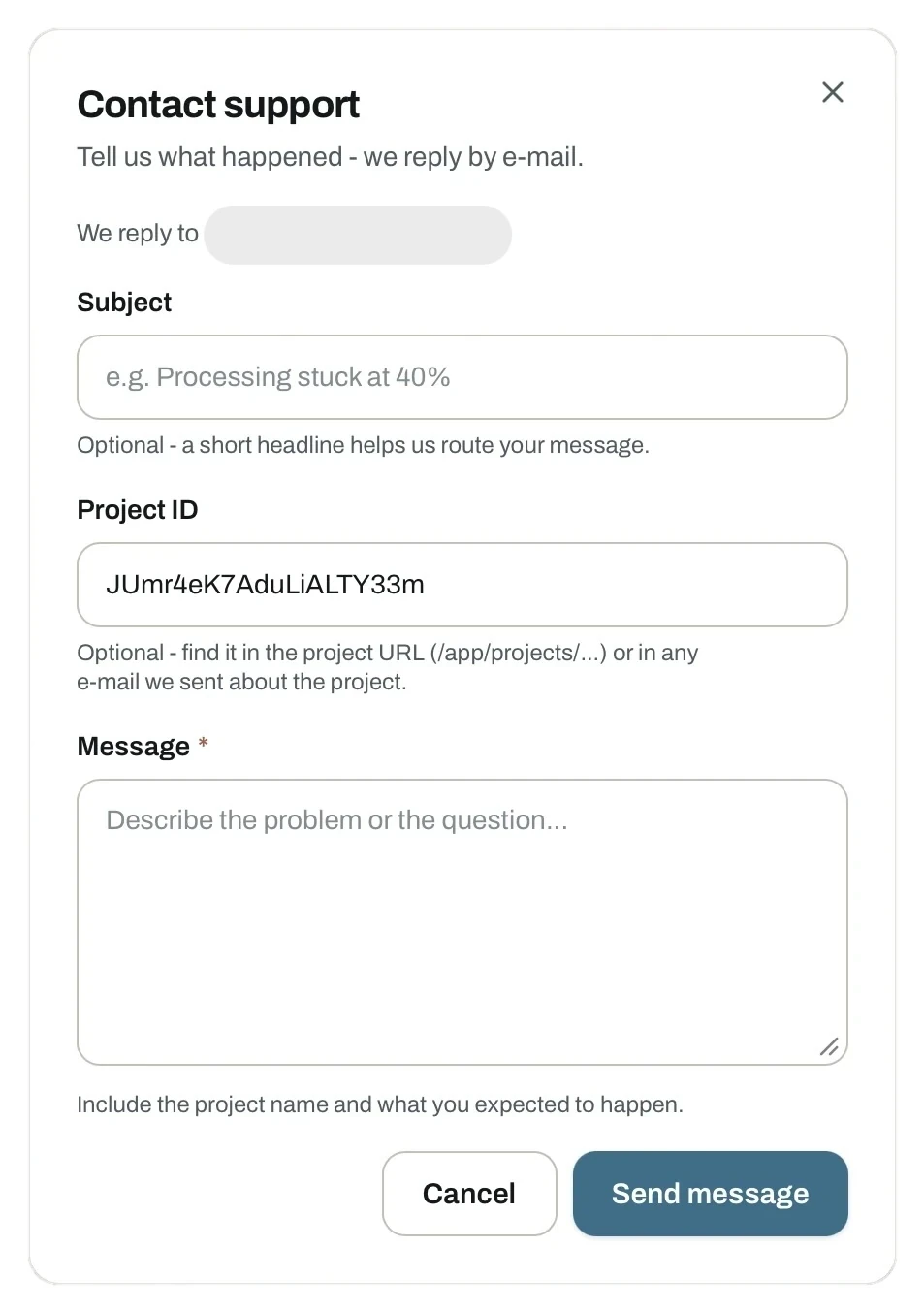
- Subject. Optional, but a short headline helps us route your message.
- Project ID. Optional. Find it in the project URL, or in any email we sent about the project. With it we can look at the actual job.
- Message. Required. Describe what happened and what you expected instead.
Useful extras: whether it happens every time or only occasionally, and which browser you use if the problem is in the viewer.
Check these first
- Results look wrong or incomplete. Start with the quality check and flight basics. Most output problems originate in the flight.
- NDVI or thermal unavailable. The output cards show Camera not recognised when the sensor is not detected. See image requirements.
- High resolution greyed out. High needs a Plus or Pro plan. See pricing.
- Limits, storage or invoices. See pricing and settings.